Edit the levels
The level editor says which road is drawn over which road: a bridge over the street under it, a tunnel under it, and the order where two roads meet. It has four tabs: Road ends (one road: the shape and the head length of each end), Stacking (two roads: the rules between them), History (your edits, with their times) and Issues (what the solver could not keep).
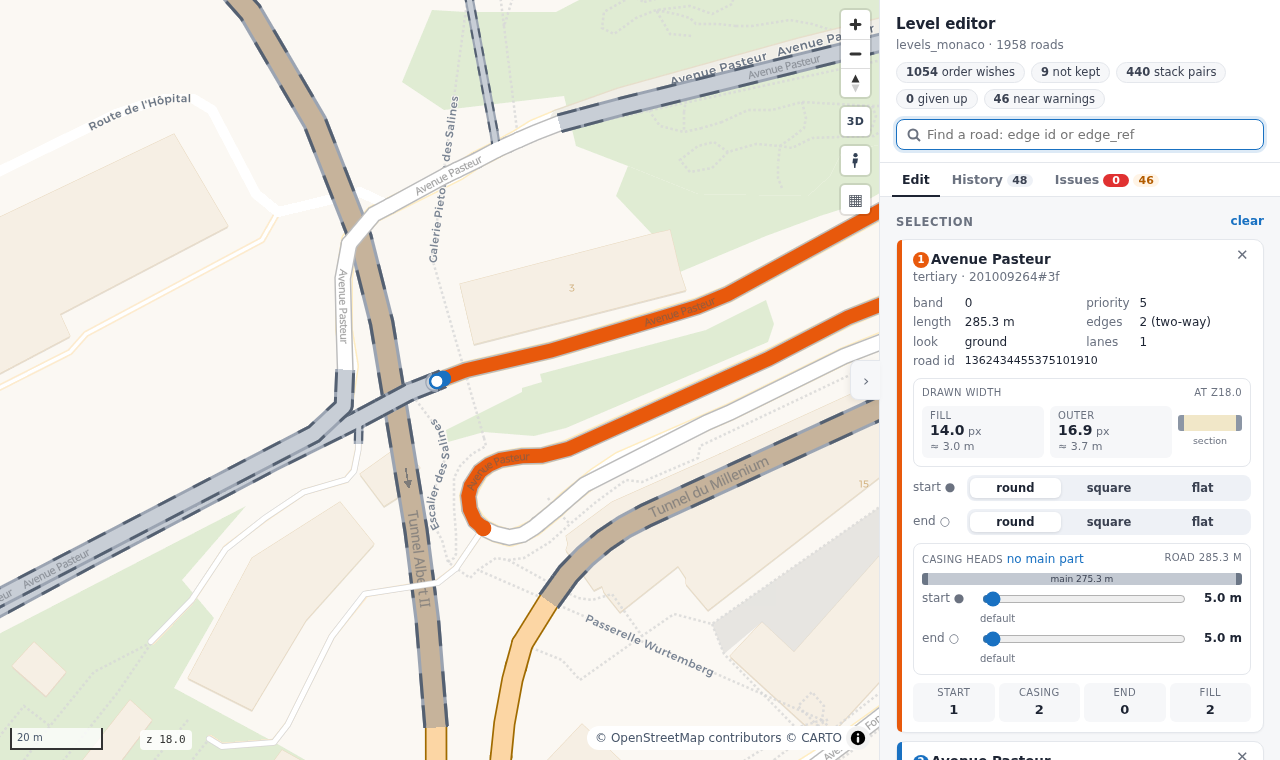
Try it. The level editor below is live, on the roads of Södermalm. Click a road, change the shape of an end, or click a second road in Stacking and add a rule. Apply and solve solves in the page and draws the roads again. Nothing is saved: your changes stay in the page until you reload it. Open it on a page of its own.
Use it
| What | Where |
|---|---|
Make an area, solve it and open the editor (roadstyle levels edit) |
Which road is on top: Edit the levels |
The files of your edits: edits.csv, heads.csv, caps.csv |
Which road is on top: Edit the levels |
The editor in your own dashboard page (levelEditor) |
Which road is on top: Edit the levels in a dashboard |
| How the levels are solved | How the levels are solved |